Piece Details
You can modify the name and properties of a digitized piece from the Piece Details menu.
Right-click on the piece and select Piece Specifications from the context menu.
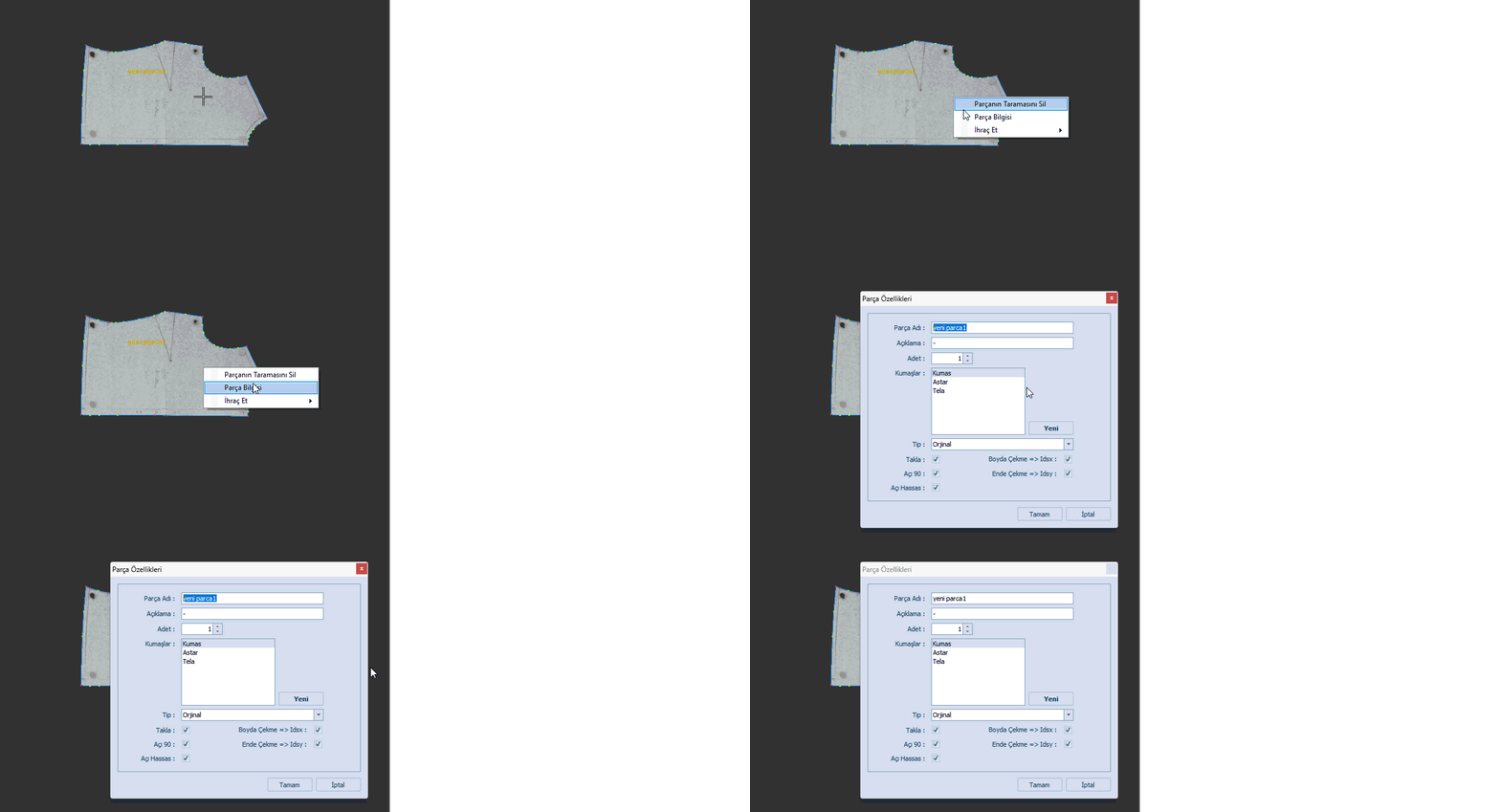
In the dialog window that opens, you can make the desired changes.
- Piece Name can be changed if needed.
- In the Description field, additional information about the piece can be entered
(e.g., alternative name, article number, etc.). - In the Quantity field, you can define how many copies of the piece will be sent to the marker in the DesignCad software.
In the Fabrics section, the fabrics defined during the initial model creation are listed.
When the model is opened in DesignCad, these fabrics are automatically transferred.
Additional fabrics can be added using the New  button. After entering the fabric name, confirm by clicking OK.

In the Type section, you can define how the piece will be transferred to the DesignCad software.
(This determines the placement behavior in the DesignCad Marker screen.)

- Original: The piece is placed in the marker as drawn in the design screen.
- Both X: The piece is added to the marker together with its mirrored copy along the X-axis.
- Both Y: The piece is added to the marker together with its mirrored copy along the Y-axis.
- Rotated: The piece is placed in the marker rotated 180 degrees from its original position.
The Piece Permissions section at the bottom defines which operations are allowed for the piece in DesignCad.

- Flip: Allows flipping the piece along the Y-axis.
- Rotate: Allows the piece to be rotated by 90 degrees.
- Angle: Allows the piece to be rotated freely in the marker.
- Shrink in Length (Idsx): Determines whether the piece is affected by length shrinkage applied in the marker.
- Shrink in Width (Idsy): Determines whether the piece is affected by width shrinkage applied in the marker.
 | All changes made (or not made) in this section can also be edited within the DesignCad software. For more detailed information, please visit the DesignCad / Piece Editing page. |